
Digital Signage in Portrait and Landscape Orientation
Maximize your visibility on vertical screens, signage, and storefront displays. With SignageNow, you can easily create and play playlists in portrait orientation. When creating a playlist, simply select your preferred orientation and use over 70 customized screen apps to create a professional brand presence.
Perfect display for pillars, storefronts, and vertical screens
Vertical screens attract a lot of attention in pedestrian zones, retail spaces, and entryways. With native portrait mode support, you can tailor your advertising messages precisely to your target audience’s viewing habits.
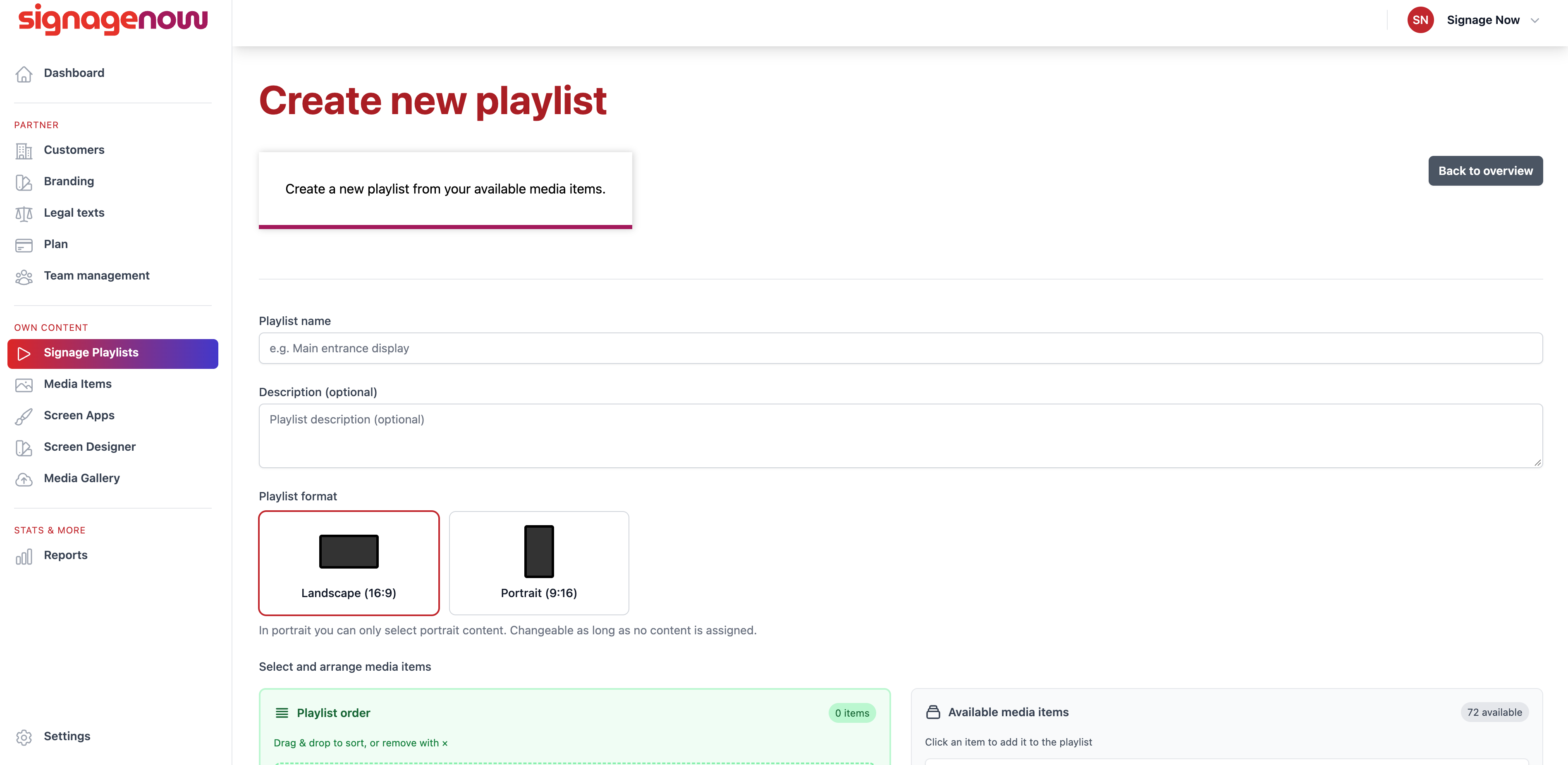
Select the orientation directly when creating a playlist
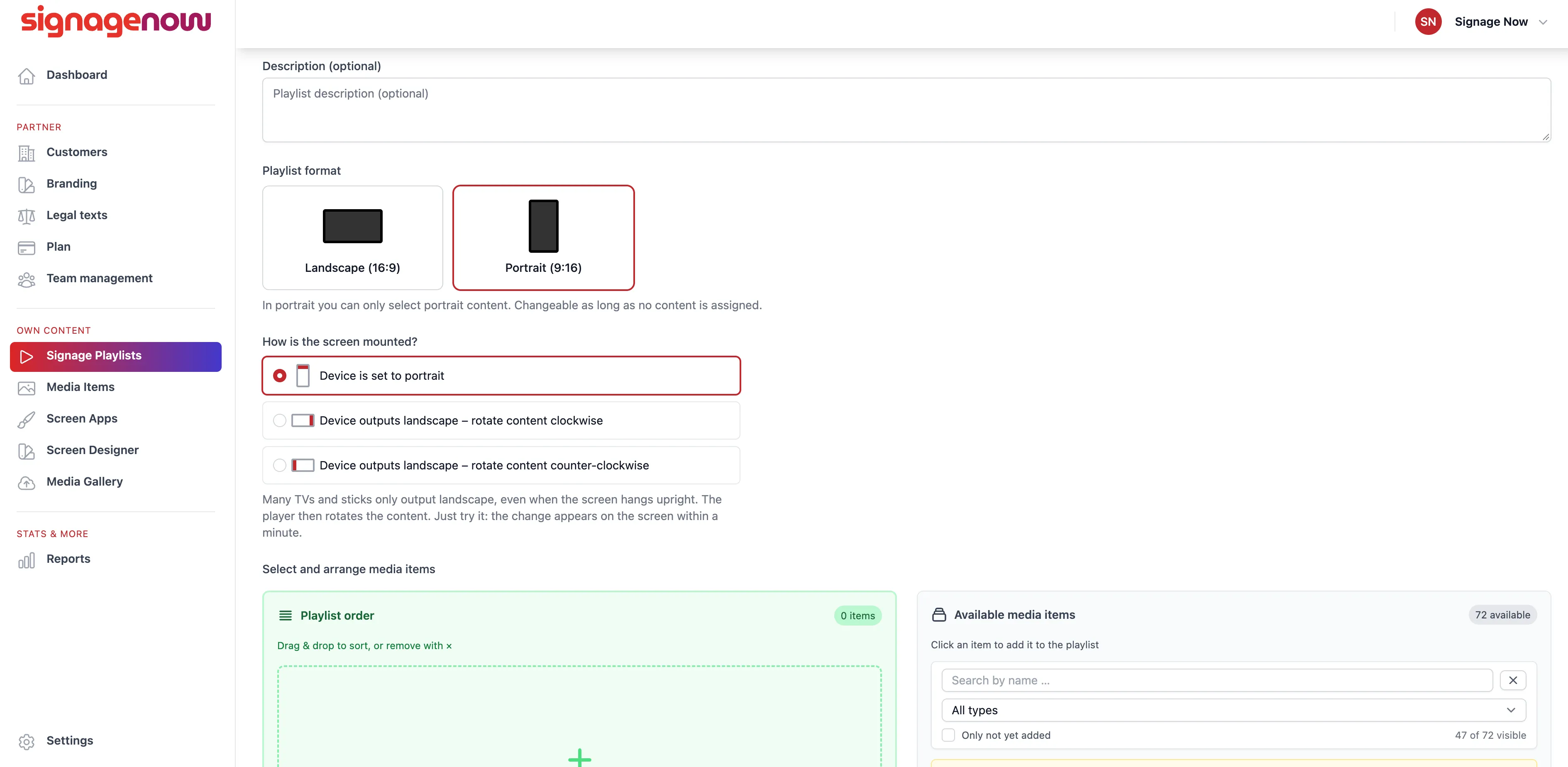
No more distorted content or black borders: When creating a new playlist, you can specify with just one click whether the orientation should be the classic landscape format (16:9) or the vertical portrait format (9:16). All media and widgets adapt perfectly to your chosen setup.
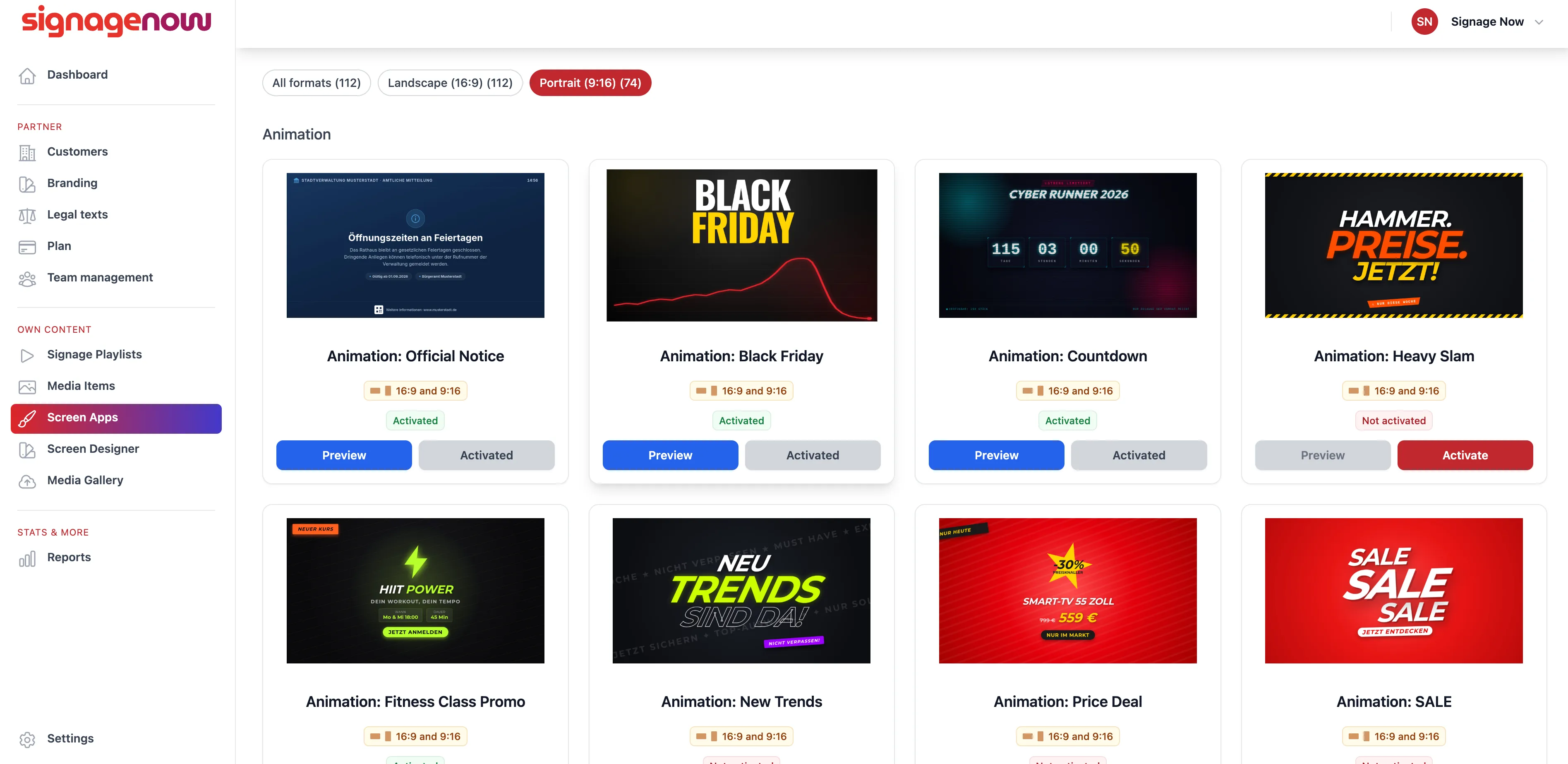
Over 70 templates optimized for portrait orientation
To ensure your vertical displays are ready to use right away, nearly all of our popular Screen Apps have been optimized for portrait orientation. Whether it’s weather widgets, real estate listings, menus, or social media walls - all content scales cleanly and is perfectly legible on your portrait-oriented monitor.
Available starting with the “Max 50” plan
The portrait mode feature is available starting with the Max 50 plan (formerly Reseller 50). Together with the Max 100 plan, this tier offers you the ideal combination of features—including advanced playlist functions, a high number of displays, and full layout flexibility - for your business.
Want to learn more about SignageNow? No problem.
Learn more about our digital signage software and prices here.