
PDFs on Digital Signage Displays
Turn your existing documents into dynamic content for your screens. With SignageNow’s PDF feature, you can bring presentations, menus, safety instructions, or information sheets directly to your displays. Upload your file, customize the design, and let your information play automatically page by page—professionally, on a schedule, and in your brand’s style.
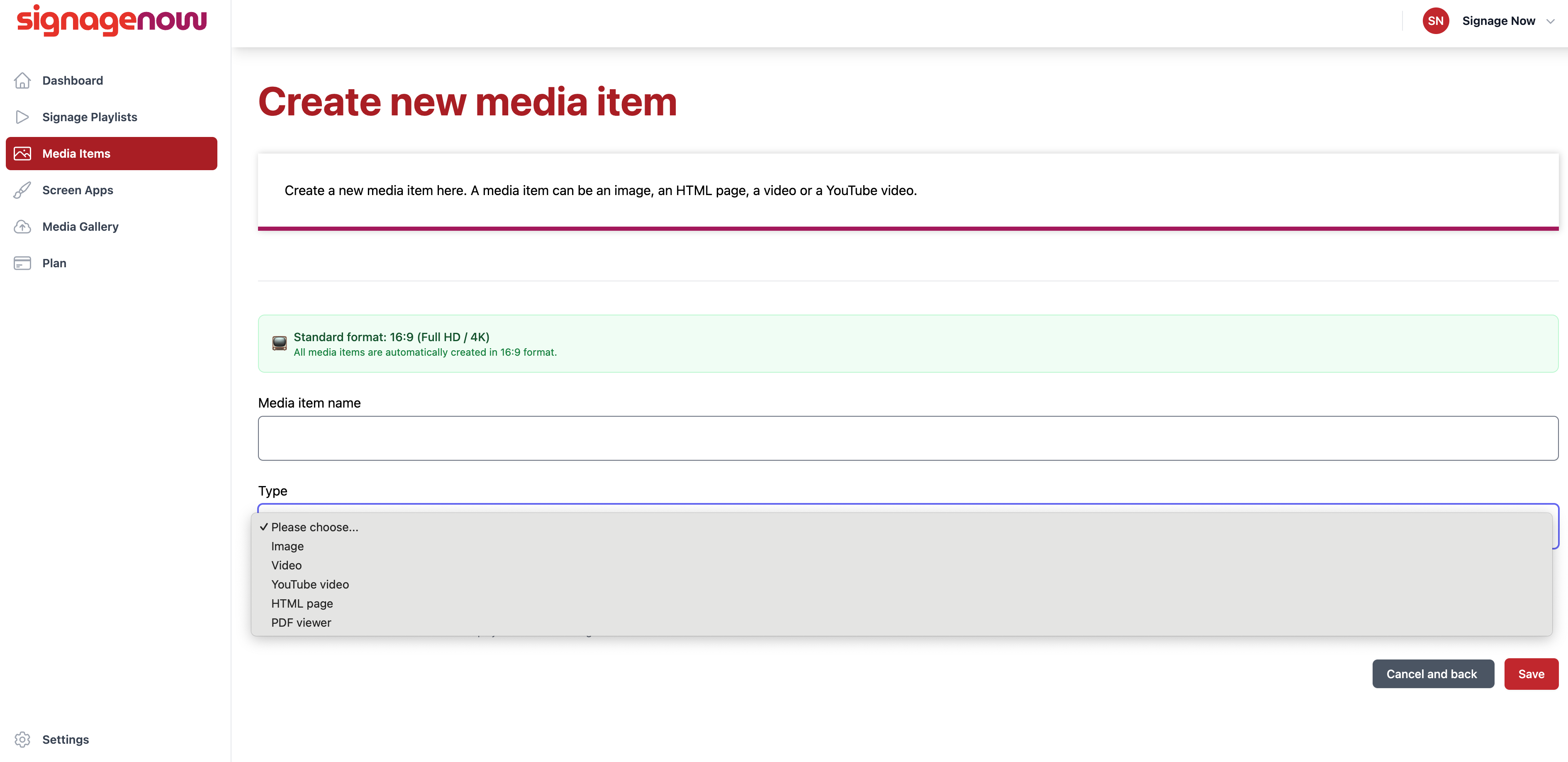
PDF player with timing controls: Present Documents Easily and Professionally
Why make things complicated when they can be simple? With SignageNow, your PDF files become an interactive experience. The system automatically displays the individual pages of your file one after another. You have full control: Decide how long each page should be displayed. This ensures that your customers or employees have enough time to read important information.
Custom branding: Your logo and design
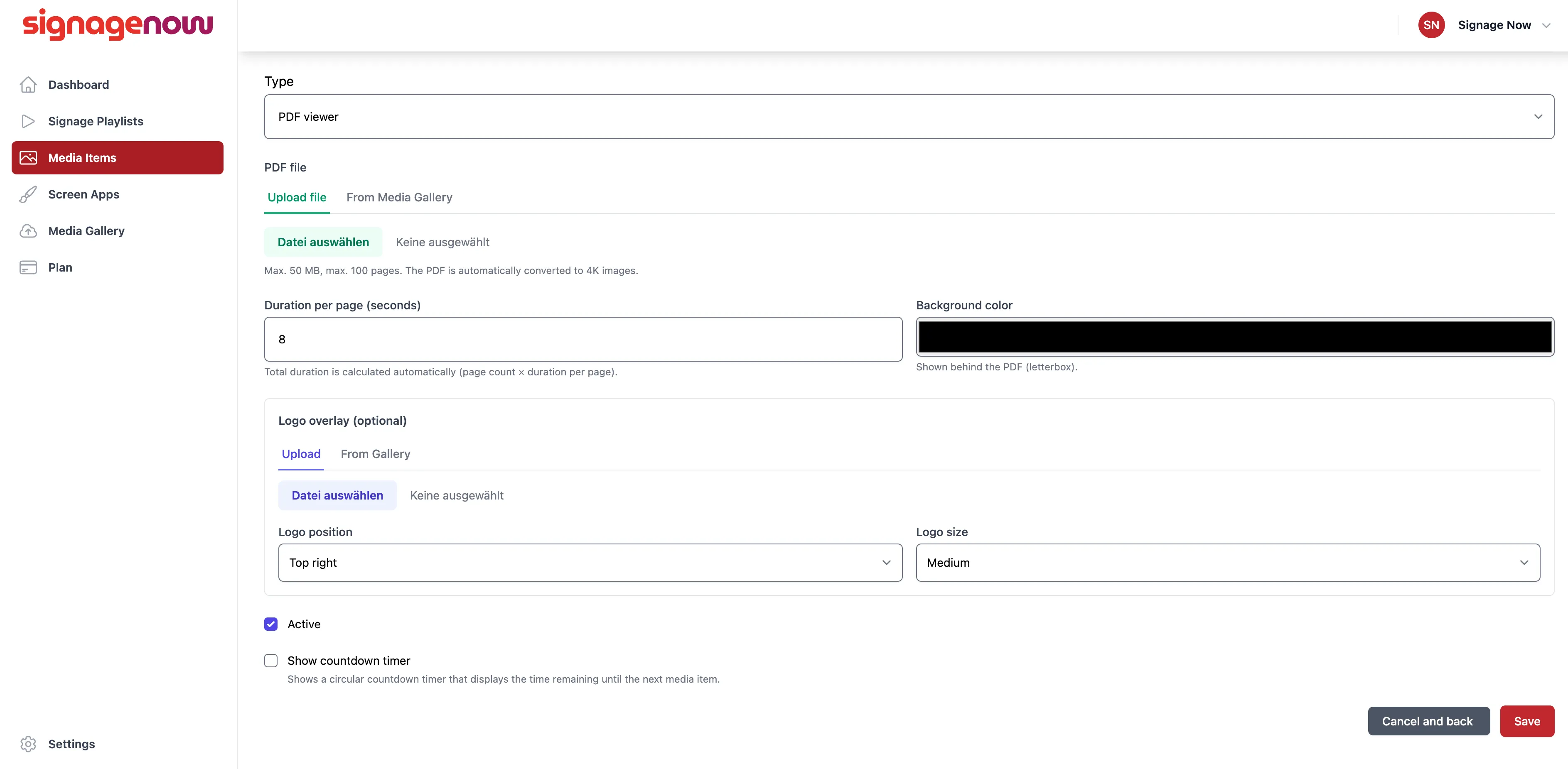
To ensure your presentation perfectly matches your company, our PDF player offers extensive customization options. You can flexibly place your own logo on the screen—whether in the top right, bottom left, or any other position. Choose between small, medium, and large sizes to guarantee optimal visibility. Additionally, the background color can be customized so that even documents with different formats are always seamlessly integrated into your corporate design.
Schedules and Countdown Timers for Maximum Attention
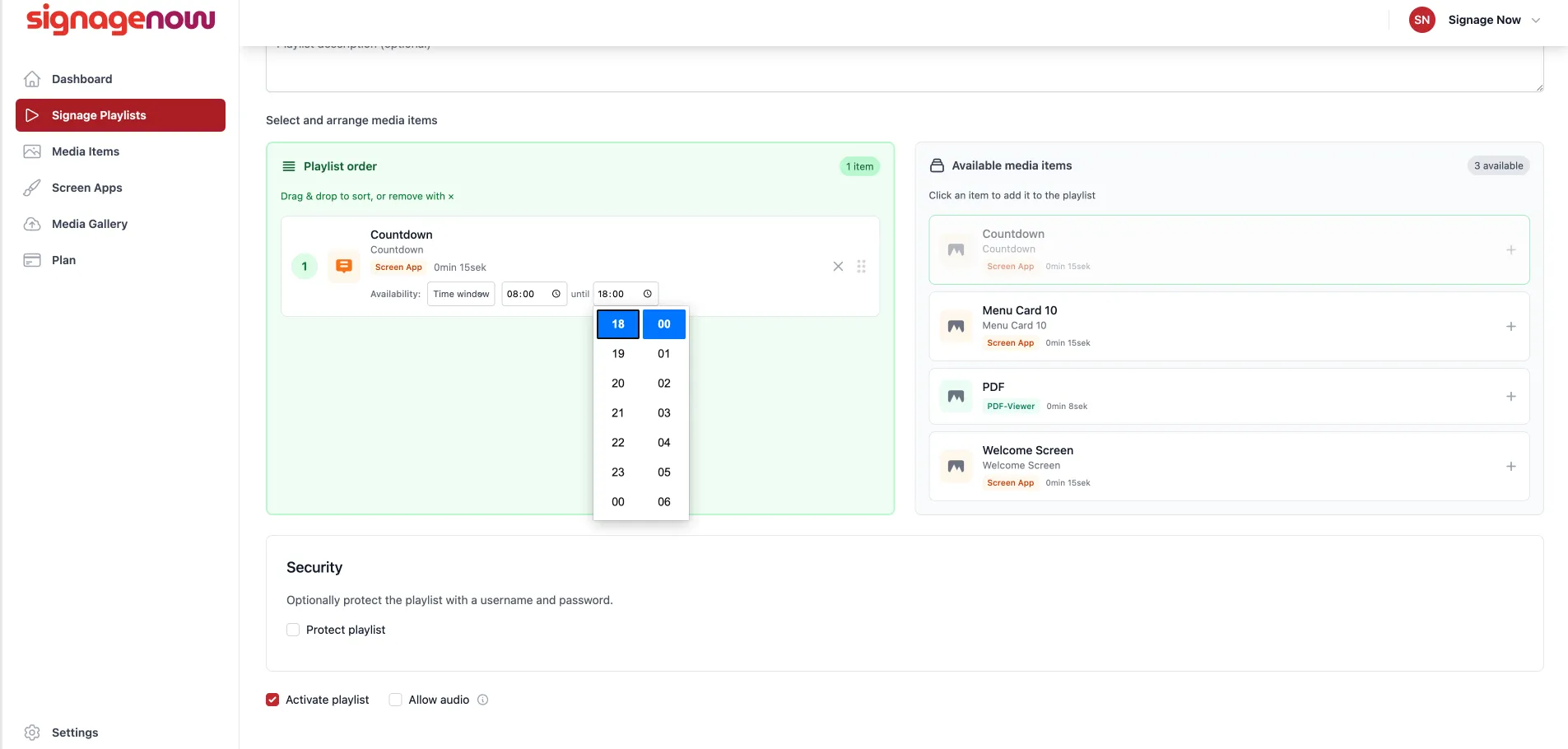
Do you want to display a PDF presentation only at specific times? With our time scheduling feature, you can precisely determine when your content is active and when it isn’t. For special events or deadlines, you can also display a countdown timer that specifically draws your audience’s attention. This way, no one will ever miss important deadlines or promotional periods again.
Want to learn more about SignageNow? No problem.
Learn more about our digital signage software and prices here.