Zum Hauptinhalt springen
News ·

From a customer request to a weekend project: Our new PDF integration is here!

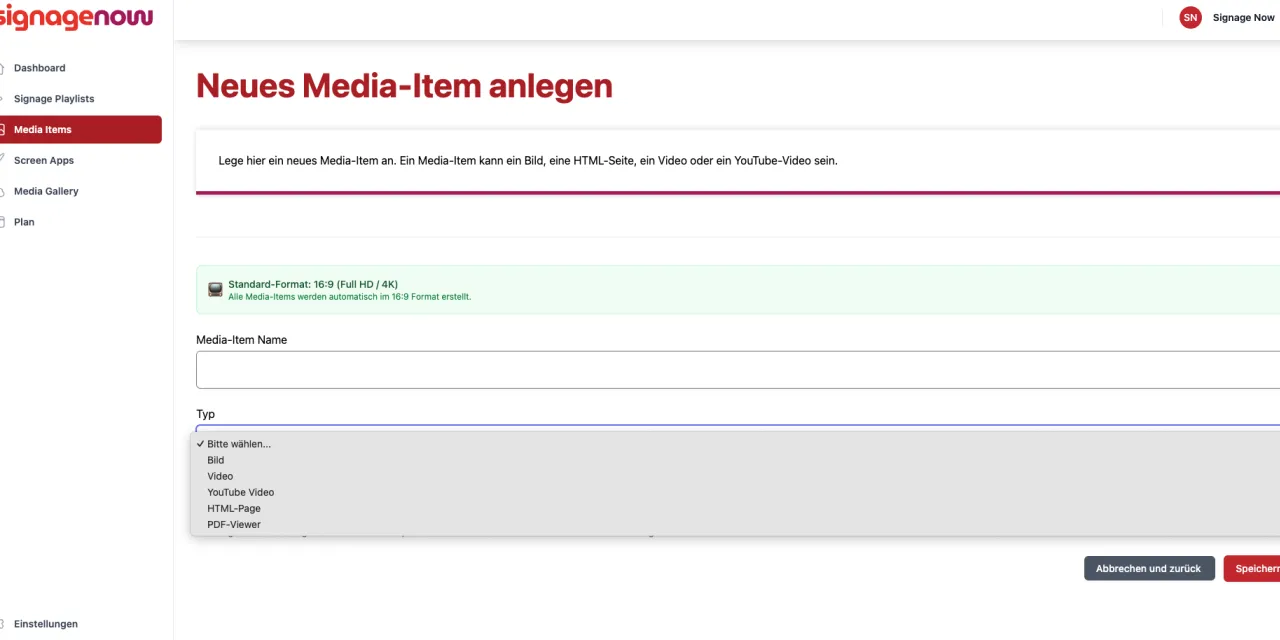
Display PDF files on digital signage displays at specific times using SignageNow

Sometimes it’s the simplest things that make the biggest difference. We recently had an exciting meeting with a client where we presented our Infoscreen software. During the presentation, the client asked a very direct question: “Can’t I just upload my finished newsletter as a PDF?”

At that moment, we had to pass—because we didn’t yet have direct, automated PDF integration in our repertoire. But that’s exactly what drives us. We took the feedback to heart, set aside time the following weekend, and rolled up our sleeves. The result? Our brand-new PDF integration, available to you right now!
Use SignageNow for your digital information display

Why “just a PDF” is so powerful

In many companies, medical practices, and offices, important information is already available as a PDF: menus, safety instructions, internal announcements, or product brochures. Instead of laboriously converting this content into new graphics, you can now use it directly. If you want to use your TV as a digital information wall or digital bulletin board, SignageNow is the solution.

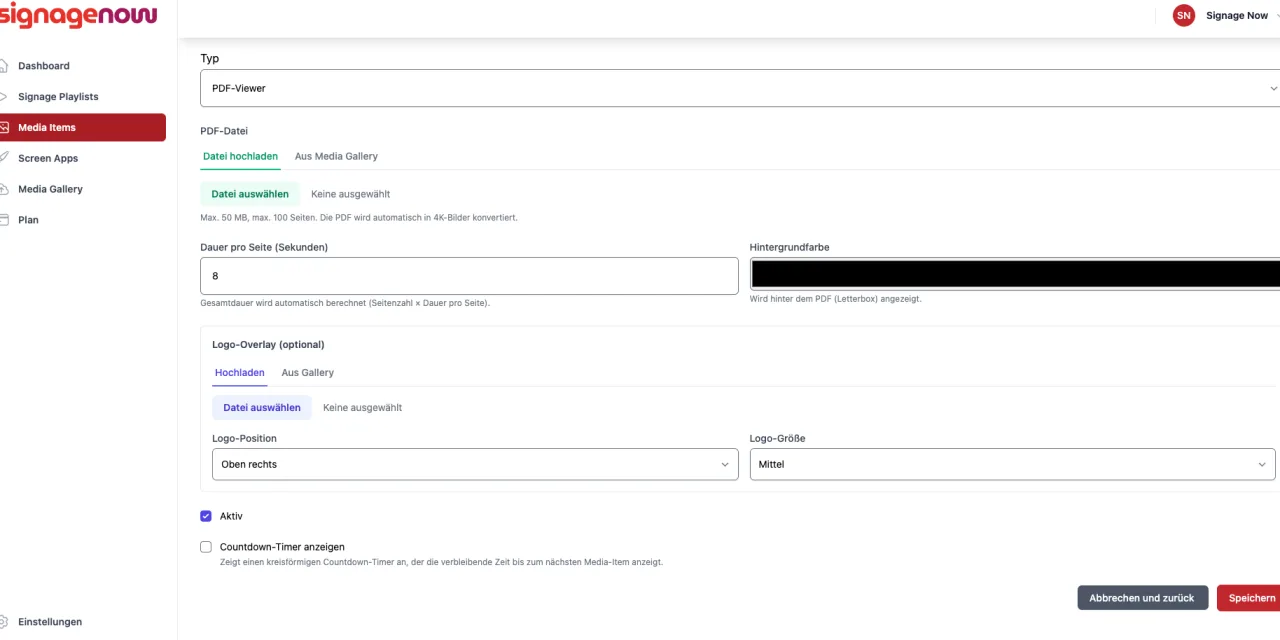
Our new feature turns a static document into a dynamic slideshow. As soon as you upload a PDF file, SignageNow recognizes the individual pages and plays them automatically one after another. You can specify how many seconds each page should be displayed before the system moves to the next one. The new integration is also helpful for your school or reception area if you want to use your TV there as a digital bulletin board or digital information display.

PDFs bei SignageNow integrieren - deiner Infoscreen Software

Branding and Design: Give Your Document a Custom Look

It was important to us that the PDFs didn’t look out of place on your screens. That’s why we’ve built in a range of customization tools right from the start:

  • Add your own logos: You can place your logo in various positions (e.g., top right or bottom left).
  • Flexible logo size: Choose between small, medium, or large to ensure your branding stands out perfectly.
  • Background customization: Match the player’s background color to your corporate design so that even documents in portrait orientation or with custom dimensions are presented harmoniously.

Do you have any other ideas, or is there a feature you’d like to see? Feel free to email us.

Smart Control with Schedules and Countdowns

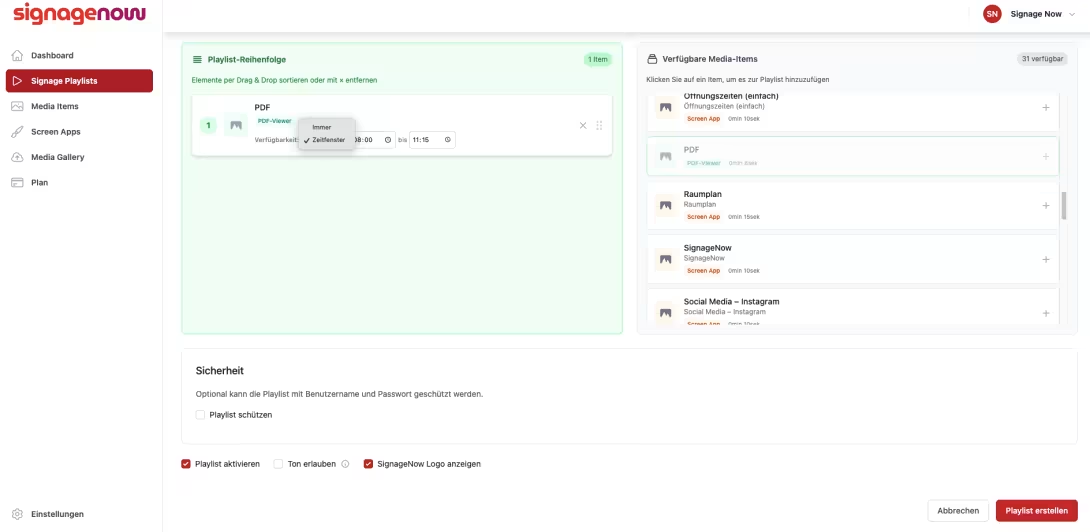
Just like with all our media items, you can create precise schedules for your PDFs. This ensures that the lunch menu is displayed only during the designated time. Our popular countdown timer, which you can place directly over the document, helps draw extra attention so everyone knows when the next content will appear.

We’ve built this feature to be robust: You can upload files up to 50 MB in size and a whopping 100 pages long. That’s more than enough even for extensive annual reports or detailed catalogs. Just give it a try yourself!

Want to learn more about SignageNow? No problem.

Learn more about our digital signage software and prices here.
