How do I remove the SignageNow logo?
Remove SignageNow Watermarks
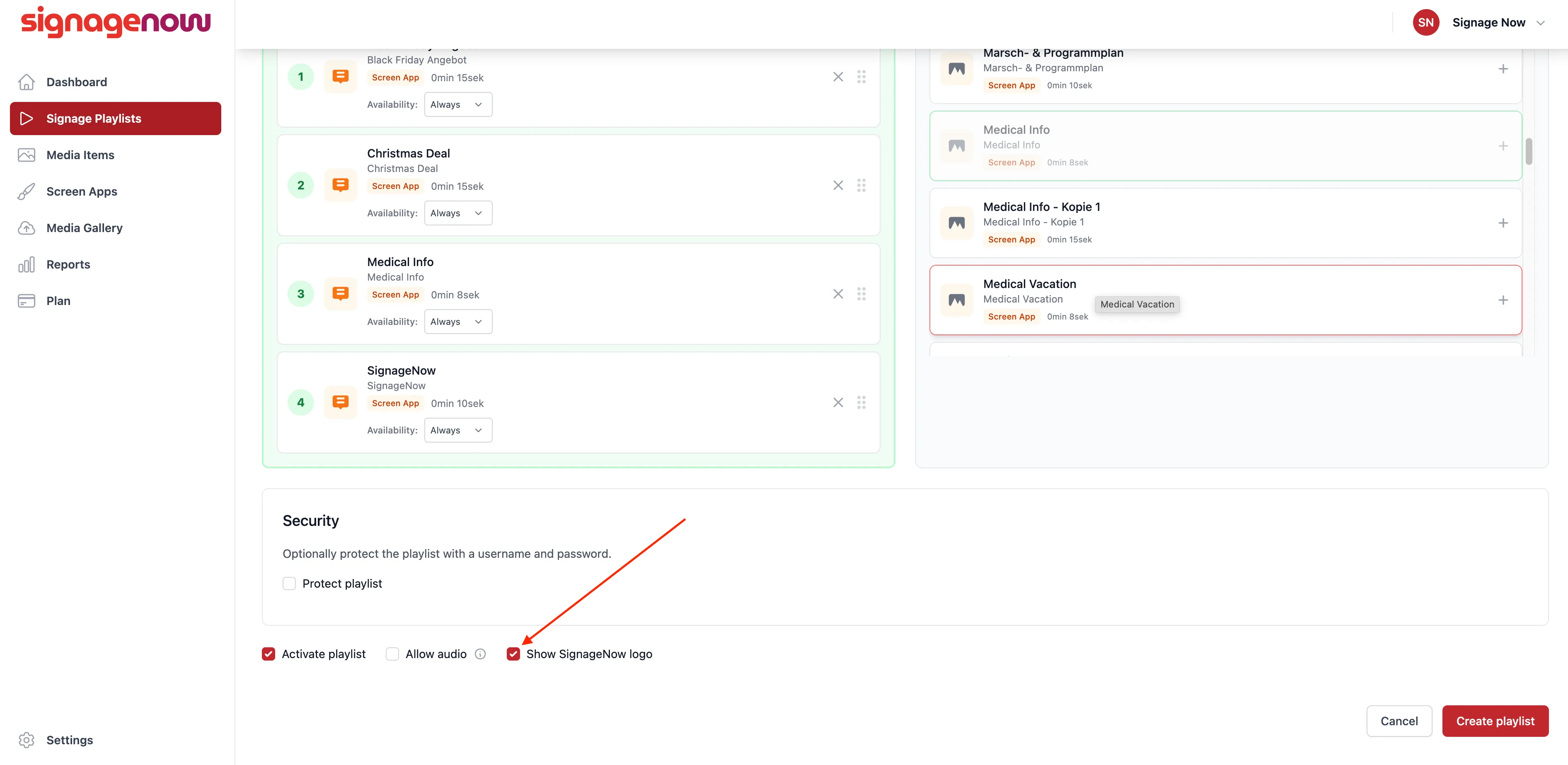
To remove the logo from a playlist, you must first edit your playlist. To do this, go to “Signage Playlists” in the menu on the left. Then click “Edit” next to the playlist you want to edit.
If you scroll down, you’ll see a checkbox next to “Show SignageNow Logo.” Uncheck it, and the watermark will be removed from your playlist.
Please note that you can only hide the SignageNow logo if you’re on a paid plan.
Want to learn more about SignageNow? No problem.
Learn more about our digital signage software and prices here.
