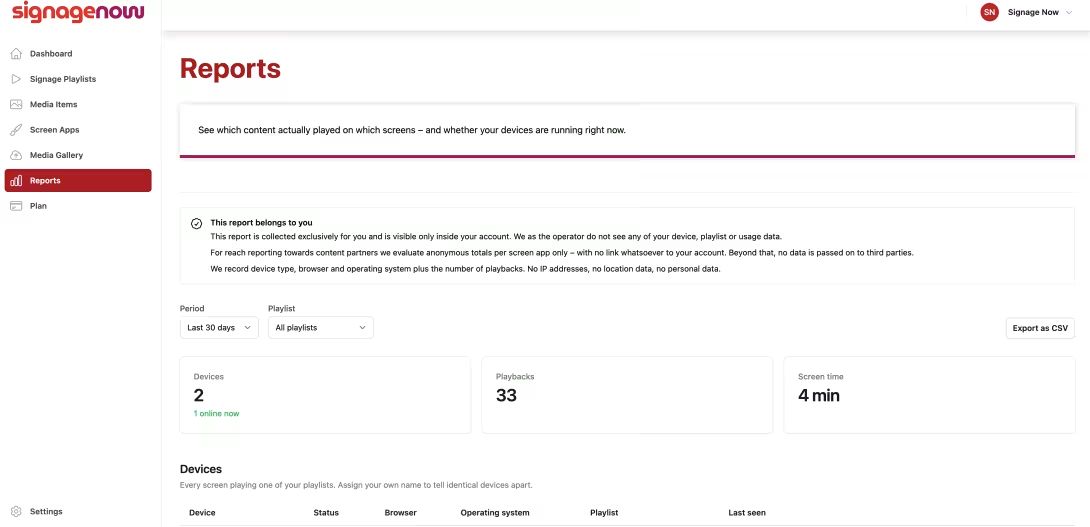
How many times has your latest promotional video been played on the displays today? Which screens are currently online, and which ad is achieving the longest viewing time? Anyone using digital signage in a business, retail setting, or the hospitality industry needs precise metrics to evaluate the success of content, detect technical issues early on, and provide proof of advertising.
Modern cloud-based digital signage software has long since gone beyond simply playing media. Integrated reports and performance analytics provide valuable data on the performance of individual content as well as the live status of each display—all without the need for time-consuming manual checks.
In this article, you’ll learn which data really matters in digital signage, how automated reports work, and what you need to keep in mind regarding data protection.
What Is Digital Signage Reporting, and Why Is It Crucial?
Digital signage reporting refers to the systematic collection, analysis, and presentation of usage and playback data from digital display systems. Instead of blindly running content on monitors, reports provide you with data-driven insights into your content mix.
The key benefits of reports at a glance:
- Proof of Play: You can see exactly how often and for how long specific media were played on which devices.
- Content Optimization: You can immediately identify which images or videos are played particularly frequently and which content needs to be adjusted.
- Technical Live Monitoring: You keep an eye on the online status, system environment, and stability of your playback devices.
- Operational Efficiency: Failed synchronizations or offline displays become immediately visible before customers or visitors notice them.
What metrics can be measured in digital signage?
A professional analytics solution generally distinguishes between two data categories: media performance (what is playing and how often?) and device status (how is the hardware performing?).
1. Analysis by media content (media items)
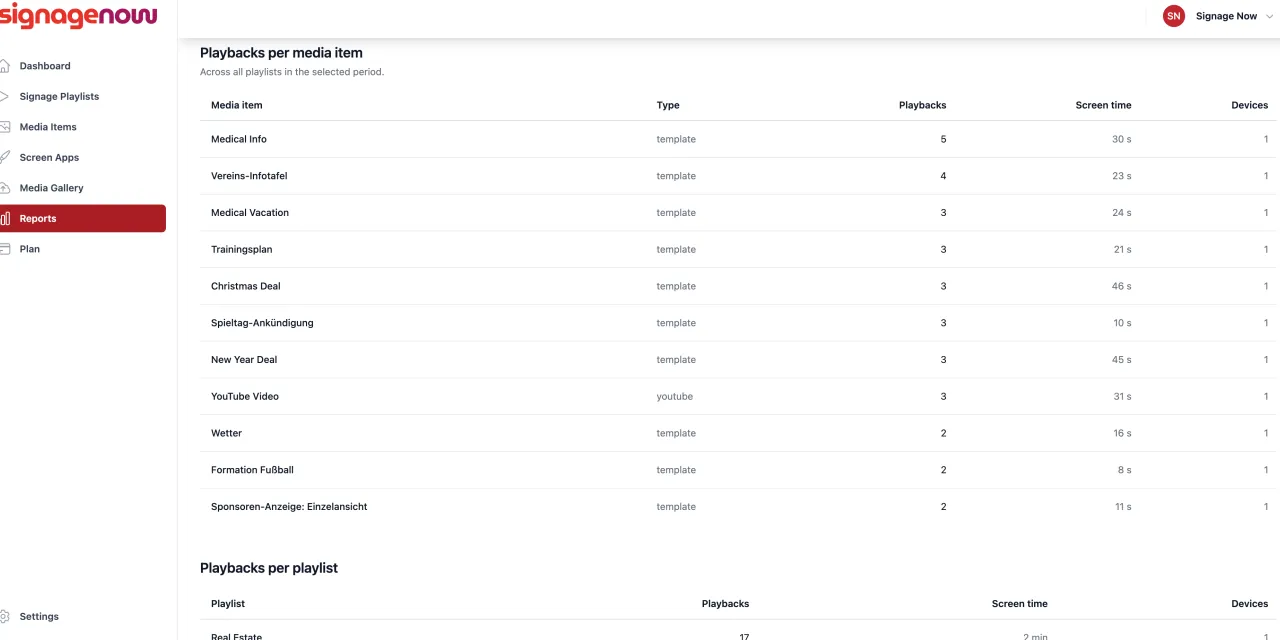
Across all created playlists and for any time period, media reports provide insight into the actual visibility of your graphics, PDFs, videos, or web templates:
- Number of plays: The total number of times a single media item was played.
- Total display duration: The cumulative runtime of a media item in seconds, minutes, or hours.
- Devices Used: The number and identification of the screens on which the media item was actively playing.
- Content Type: Categorized by static images, dynamic templates, or videos for precise performance comparability.
2. Fleet and Device Monitoring
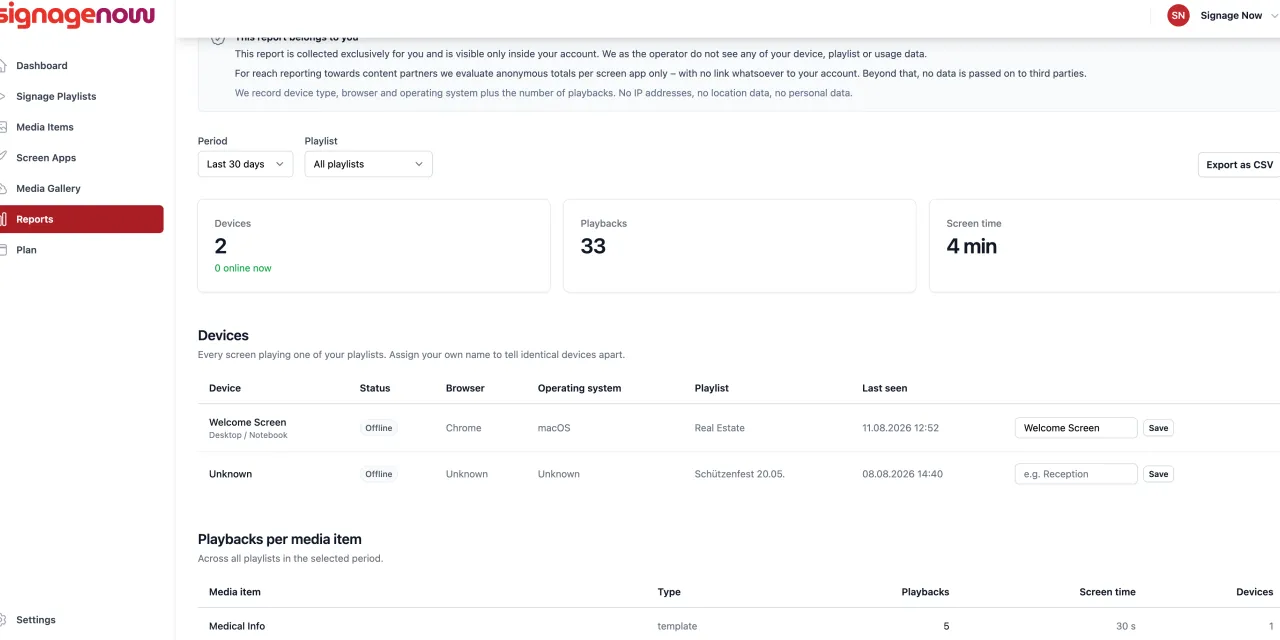
Detailed system reports on your display devices ensure smooth operations behind the scenes:
- Live Status: Is the display currently active and playing content?
- “Last Seen”: The exact timestamp of the last communication between the display and the cloud.
- Active Playlist: The playlist currently playing on the device.
- System Environment: Information on the operating system (e.g., Android TV, Fire TV, Windows) and the web browser being used.