Here's how easy it is to embed YouTube videos with SignageNow
With SignageNow, integrating YouTube content is a breeze. Just follow these steps:
1. Create a Media Item
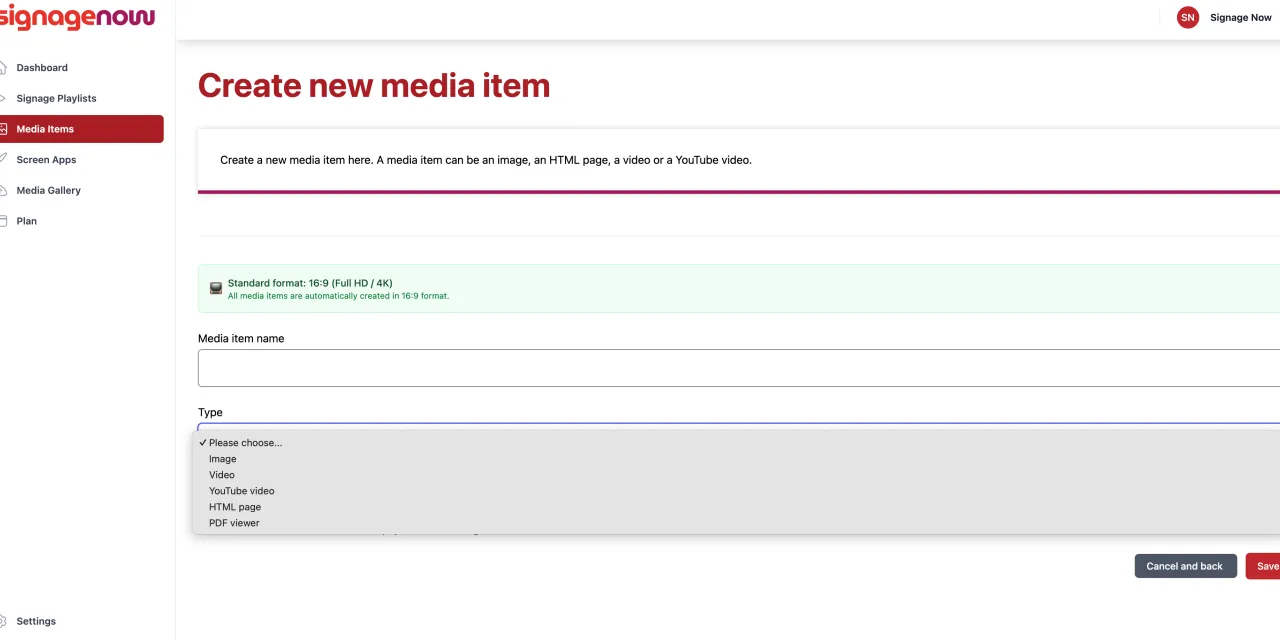
First, log in to your SignageNow account and navigate to the “Media Items” section. There, click “New Media Item” to create a new media item.
2. Select “YouTube Video”
From the list of available media types, select the “YouTube Video” option.
3. Enter the URL
An input field will open where you can enter the URL of the YouTube video you want to play. Simply copy the video’s link directly from YouTube and paste it here. SignageNow will then automatically retrieve all relevant information.
4. Select display duration
Finally, you can set the display duration for the YouTube video. Determine how long the video should be shown on your digital signage screen before the next item in your playlist plays. You can also choose whether to display a countdown timer.