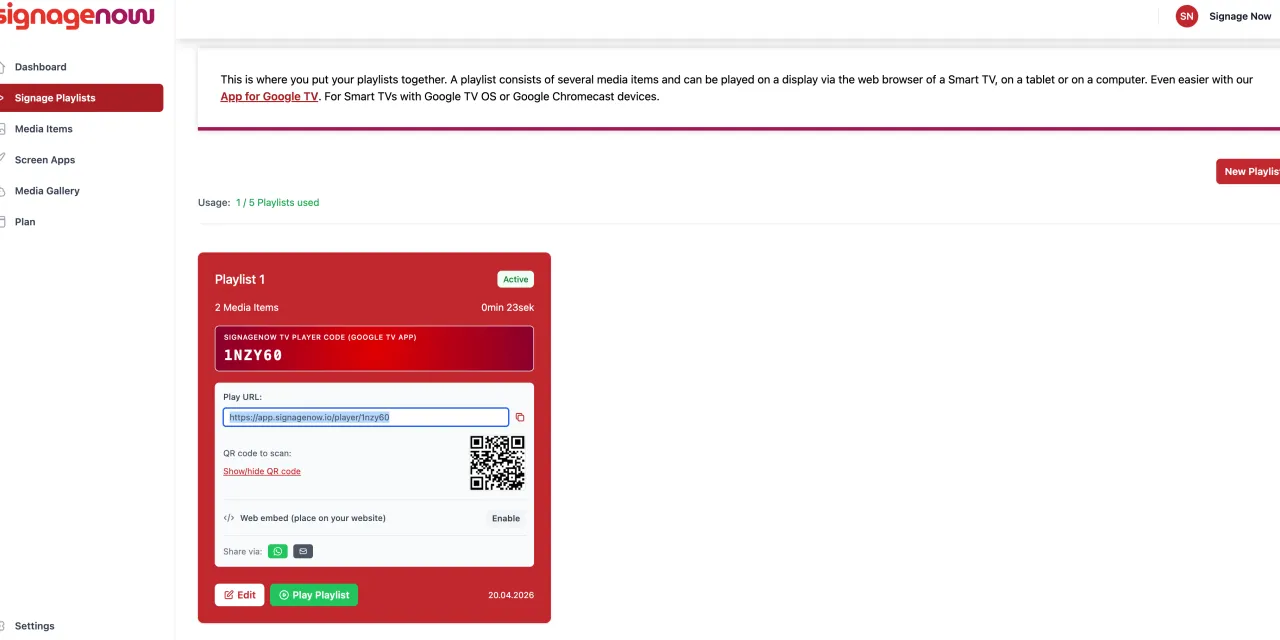
Real estate agencies often use their storefront windows to display current property listings. However, printed listings in plastic sleeves often look static, fade in the sun, and are difficult to update.
Using a digital display and digital signage software makes this much easier and more cost-effective—and it works around the clock. To implement this modern form of digital storefront advertising, flexible control software is essential. The German cloud solution SignageNow shows just how easy and cost-effective it is to get started.
In this article, we’ll show you how to set up digital info screens in your real estate office.
Step-by-Step Guide: How SignageNow Works as a Digital Signage System
SignageNow is intentionally designed to be so easy to set up and use on a daily basis that you can do it without any IT expertise. The process is broken down into four short, easy-to-follow steps:
1. Use a standard smart TV and save money
You don’t need expensive specialized monitors or external media players to run SignageNow. You can use a standard smart TV or an affordable streaming stick (such as the Amazon Fire TV Stick or Google Chromecast). This immediately saves you several hundred euros in purchase costs per screen.
2. Use free real estate templates
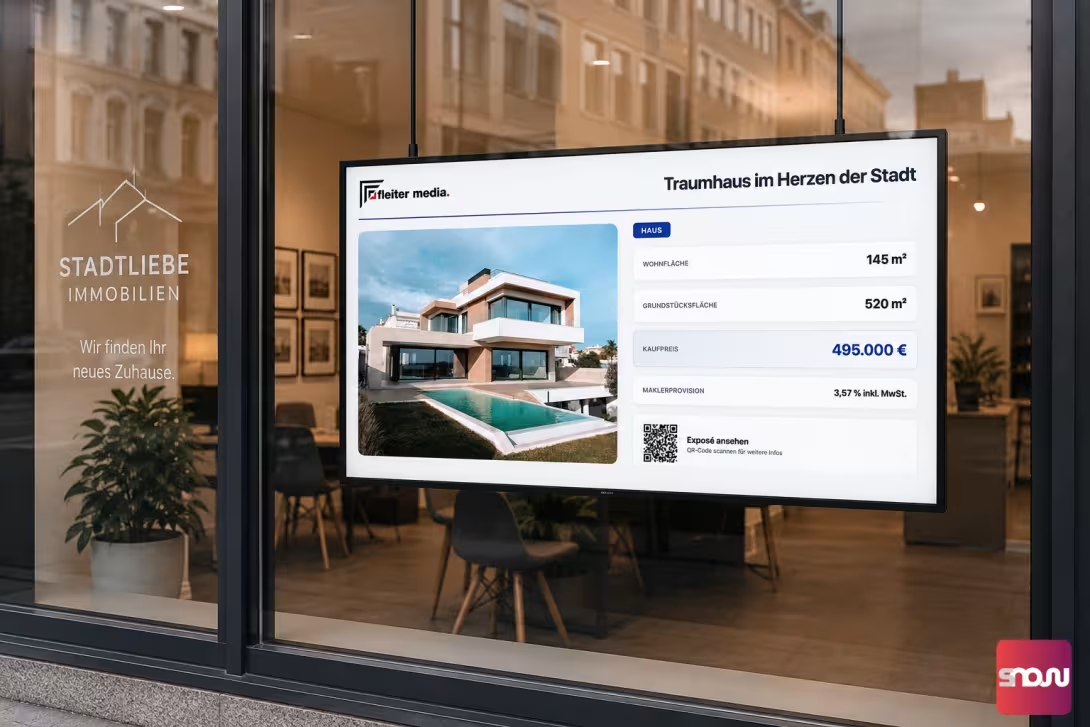
You don’t need to be a graphic designer to create professional content. SignageNow offers a wide variety of free digital signage templates—including ones for real estate listings. Simply select the right layout, upload the property photos, enter the key details, and your digital listing is ready.
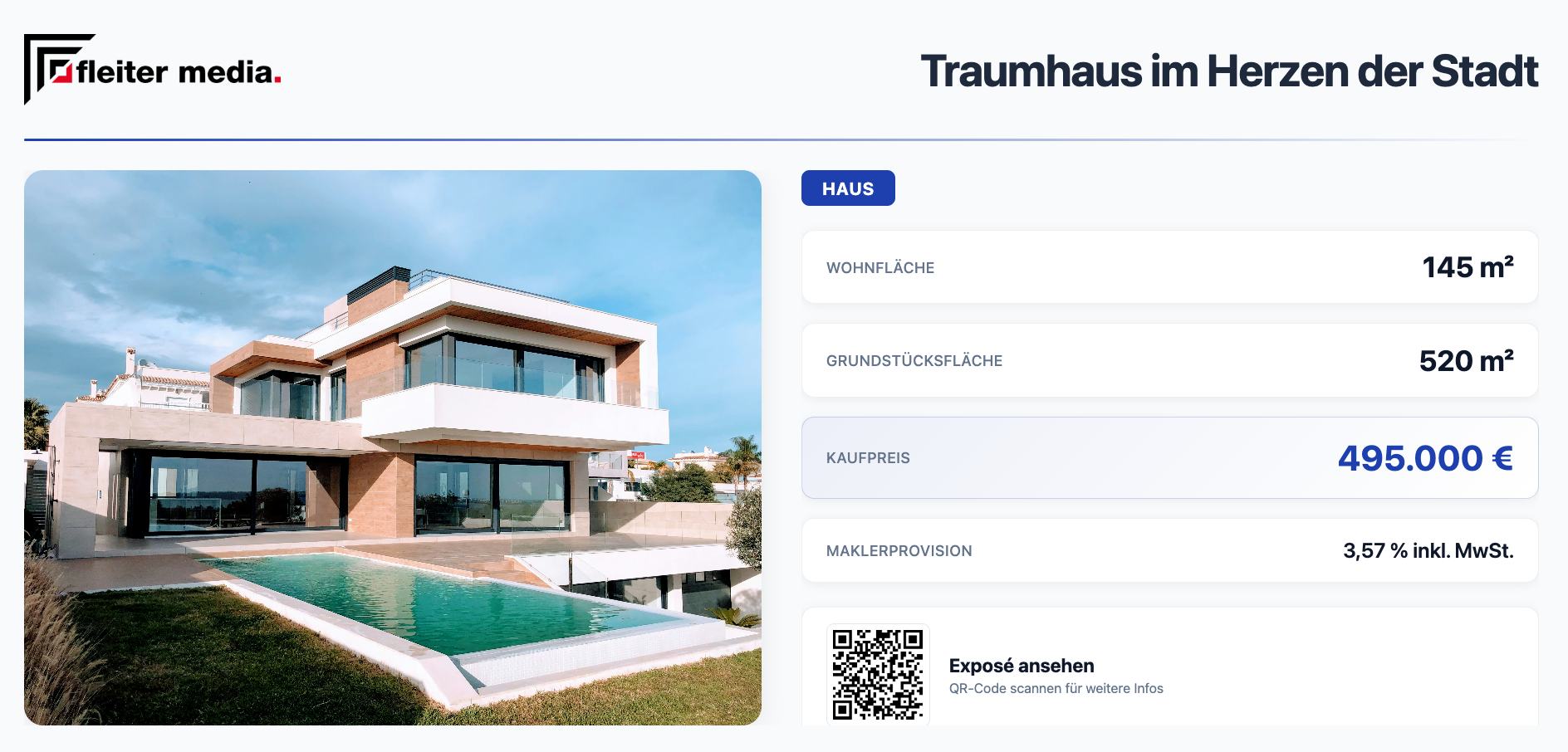
3. Set Up a Playlist and Automatic Scheduling
Next, add all your content to a playlist and use the built-in scheduling feature to tailor your content perfectly to your target audiences. You’ll then receive a personalized URL. Any future changes will be synced in real time.
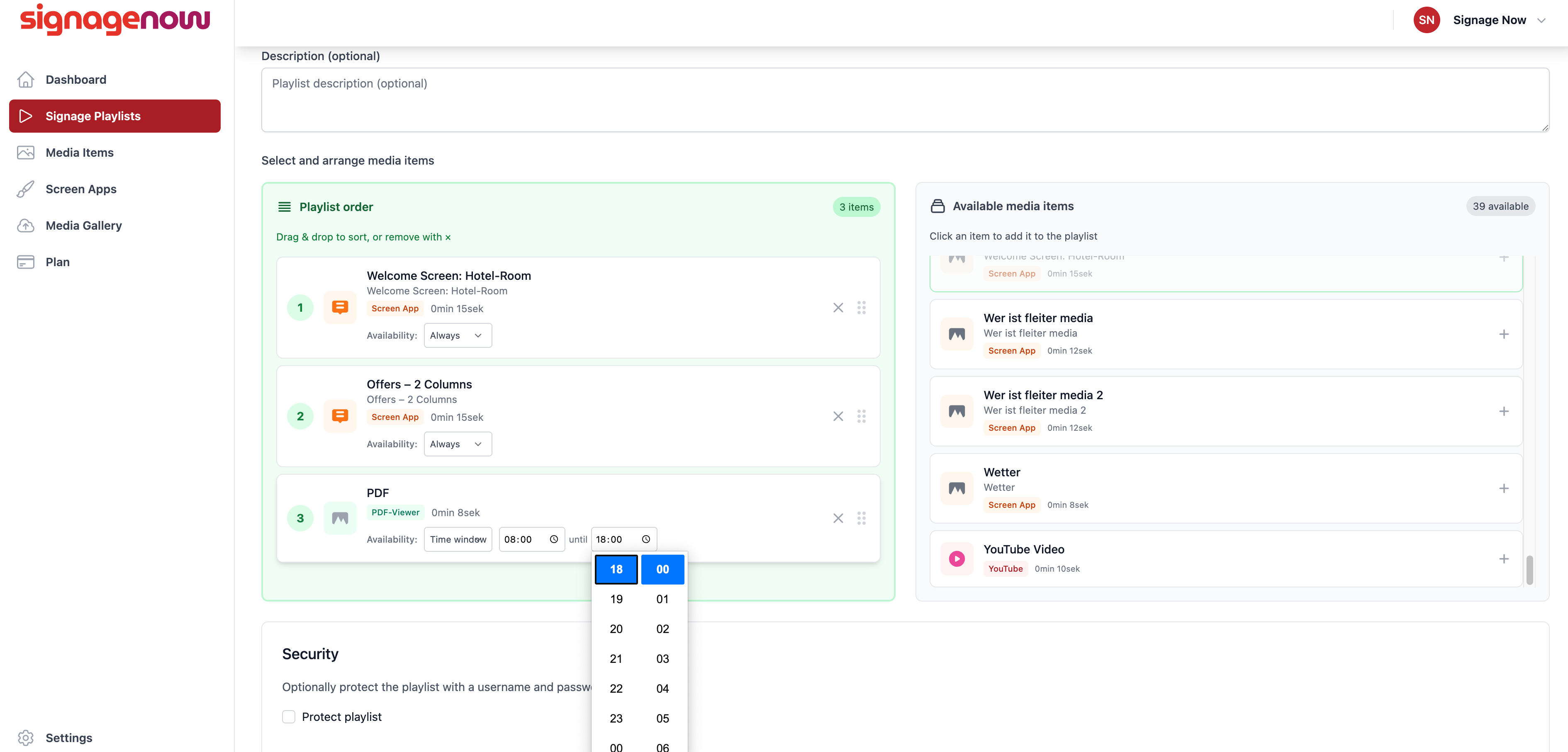
4. Activate the SignageNow Player App
Enter your URL in the TV's browser, or download the free Player App directly to your device from the Google Play Store or Amazon Appstore. When you open the app, simply enter the shortened URL (the last 6 digits). Done!